KMOV 4Warn Weather
- 4.6
- Rating
- 50.00K
- Installs
- Free
- Price

 Analysis by App-foxy
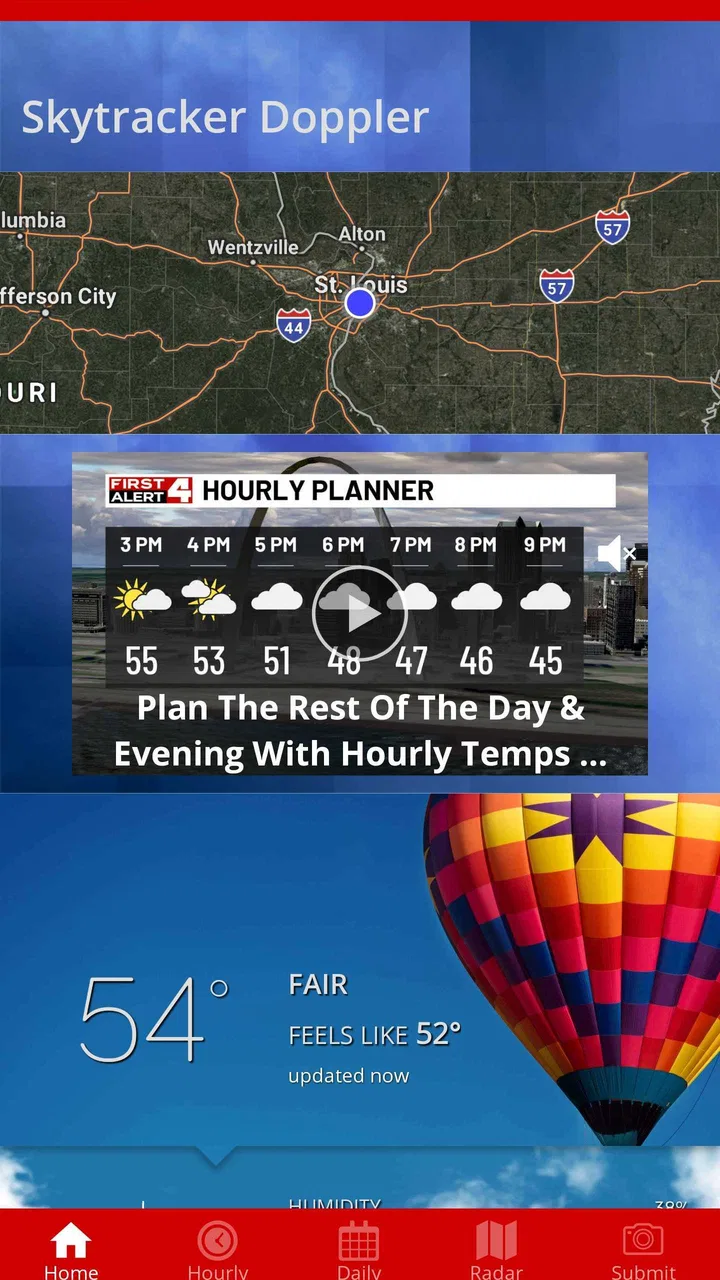
When I want a quick look at the weather in the St. Louis viewing region, I would rather open a local forecast app than sort through a national service filled with information for places I do not care about. KMOV 4Warn Weather is built around that simple idea. It is a free weather app from Gray Media, and its focus is local conditions rather than a broad, all-purpose weather platform.
After spending time with it, I see the app as a practical choice for people who mainly need to know whether to carry an umbrella, change a commute, protect outdoor plans, or check what the next few hours may bring. It is not trying to replace every weather tool on a phone. Its appeal comes from being connected to the KMOV 4Warn Weather identity and aimed at the station’s viewing region.
The app is available for users aged Everyone, runs on Android 9 or later, and currently appears as version 6.1.701. Its store presence shows a 4.6 average from around 1.3 thousand ratings, with more than 50 thousand installs. Those figures suggest a modest but established local audience rather than the enormous reach of a worldwide weather brand.
You May Also Like

 Pandora - Music & Podcasts
Pandora’s Music Is Easy to Start, but Harder to Recover
Pandora’s strength is its low-effort path from a seed to a station. Its weak spot is how much confidence it asks you to place in connection, setup, and quiet recovery.

 AccuWeather: Weather Radar
AccuWeather Review: A Quick, Clear Forecast for Everyday Decisions
For everyday plans, the best forecast is the one you can understand quickly. AccuWeather makes rain timing, radar, and local conditions easy to act on, with a few trade-offs.

 Hill Climb Racing
Why Hill Climb Racing Still Turns Crashes Into One More Run
A tiny car, a bumpy hill and one more upgrade: Hill Climb Racing keeps resurfacing because its simple chaos makes every near-miss feel personal.

 AliExpress - Shopping App
AliExpress Makes Global Shopping Feel Personal, but Shoppers Bear the Risk
AliExpress turns a global marketplace into a pocket-sized discovery engine. Its reach is useful, its shopping loop compelling, and its trade-offs easy to miss.

 Lords Mobile: Kingdom Wars
Lords Mobile Is a Kingdom-Building Routine, Not a Quick Match
A case-by-case verdict on the building, battles, device demands, and social commitments that make Lords Mobile rewarding for some players and exhausting for others.

 PDF Scanner app - TapScanner
TapScanner Makes Paperwork Easier to Capture, Check, and Share
TapScanner makes scanning with a phone feel less like a rescue operation and more like a dependable step in getting work done. Its capture tools are useful, though not flawless.
More From Our News Desk
View All News


How the app fits into everyday weather checking
The first thing I noticed about this kind of local weather app is that its usefulness depends on how closely your daily life is tied to the KMOV viewing region. If you live nearby, work there, commute through it, or regularly follow local conditions, the regional focus makes sense. If you are constantly moving between states or planning trips across several distant areas, a national weather service may be more convenient.
The store summary describes the app as a way to get the latest weather for the viewing region. That is a narrower promise than offering a complete travel-planning system, climate reference, or specialist meteorology workstation. I think that narrow purpose is a strength when you want a fast local check, but it also sets the right expectations: this is best judged as a local weather companion.
For a normal morning, I would use it in a simple sequence. I would check the current local outlook before leaving, look ahead to see whether conditions are likely to change during the day, and then make a practical decision about clothing, driving, or outdoor plans. The value is not in staring at the app for a long time. It is in turning a forecast into a small decision quickly.
What the free price means in practice
There is no purchase cost listed for the app, so the basic decision is straightforward: you can try it without committing money. That matters in a category where many people already have a built-in weather screen, a browser, or another app installed. A free local option has to earn a place on the phone through convenience and relevance, not through a complicated pricing plan.
I would describe the value as free access to a focused local weather experience. That does not mean it is automatically better than every alternative, and it does not justify assuming that every possible feature is included. It simply removes the financial barrier to testing whether the app suits your routine. If it gives you a quicker or more locally useful check than your current option, it can be worthwhile without requiring a purchase.
This distinction is important for anyone comparing weather apps. You are not buying a premium forecasting package here. You are choosing whether a free KMOV-centered tool deserves space on your device. For a household that follows local conditions every day, that can be enough value. For someone looking for paid specialist tools, extensive international coverage, or a highly customized forecasting workspace, the free local focus may feel limited.
Where the local focus helps
Local weather is often more useful than a generic city label. A broad national app may show a forecast for a large metropolitan area, while a local station app is designed around the region its audience actually watches. That can make the experience feel more relevant for day-to-day decisions, especially when conditions vary across nearby communities.
I also like the idea of using one regional app for two different levels of planning. A quick glance can answer an immediate question, such as whether I need a jacket for the next trip outside. A second, more careful check can help me decide whether an afternoon appointment, school activity, or weekend plan needs a backup. The app’s value grows when it becomes part of that routine instead of being opened only during severe weather.
One useful habit is to check before leaving rather than relying on the forecast from the previous evening. Weather decisions are time-sensitive, and a local app is most helpful when it supports a current decision. I would also compare the timing of the forecast with the actual time I expect to be outdoors. A morning outlook is not automatically the right answer for an evening commute.
Another practical use is household coordination. If one person is driving, another is taking children outside, and someone else is planning errands, a local weather source provides a common reference point. It will not make the decision for you, but it can reduce the need for everyone to search separately through different services.
What I would check before relying on it
The first question is location. Because this is specifically tied to the KMOV viewing region, I would not install it expecting the same usefulness in a distant city. It may still be interesting to people who follow St. Louis-area weather while traveling, but it is not the natural choice for someone whose daily forecasts are centered elsewhere.
The second question is how much detail you personally need. Some users want only a quick local outlook. Others want extensive map layers, long-range comparisons, specialized alerts, detailed aviation information, or a single app that works equally well across many countries. A local station app can be excellent for the first group and less satisfying for the second.
I would also avoid treating any weather forecast as a guarantee. The app can help me prepare, but it cannot remove uncertainty from changing conditions. For important outdoor work, travel, or safety decisions, I would still use judgement and check the latest information rather than relying on one glance.
That is a genuine trade-off: the app’s simplicity can make it approachable, but users who want to investigate several models, locations, or technical layers may find a dedicated weather service more flexible. The right choice depends less on the headline rating and more on whether local KMOV coverage matches the way you use weather information.
How it compares with common alternatives
The usual alternative is the weather app already included with a phone. That option is hard to beat for speed because it is already familiar and often available from the home screen. KMOV 4Warn Weather needs to offer something more relevant to a local audience: a regional perspective and a connection to a trusted local weather brand. If you value that connection, opening a separate app can feel justified.
A second alternative is a large national weather app. Those services are generally better suited to people who monitor many cities, plan road trips, or want one consistent interface wherever they go. The trade-off is that their broad coverage may feel less personal for someone who mainly wants local conditions. KMOV’s regional identity is more useful when your weather questions begin and end near home.
There is also the browser. Searching for the forecast can work, but it adds steps and may produce a mixture of sources. A dedicated app is more convenient when the same local check happens every morning. In my view, this is where the free price matters most: it lets you test whether the faster habit is worth keeping without paying to replace a browser search.
I would choose a different option if I needed a travel-first tool. Someone moving between several destinations may prefer an app organized around saved locations and broad geographic coverage. Likewise, a weather enthusiast who wants highly technical analysis may be happier with a specialist service. KMOV 4Warn Weather is more convincing as a local daily utility than as an all-purpose weather laboratory.
Small workflow improvements that make it more useful
My first tip is to use it at decision points instead of opening it randomly. Check before commuting, before leaving children or pets outdoors, and before committing to an event that depends on conditions. This keeps the app connected to real choices and makes it easier to judge whether its local focus is helping.
My second tip is to compare the forecast window with your actual schedule. If I am outside at lunchtime, the morning temperature is not enough information. I want to think about the period when I will be walking, driving, or waiting outdoors. This sounds obvious, but it prevents a common mistake: checking weather once and assuming it represents the entire day.
My third tip is to keep a second source in mind for unusual situations. I would use this app for routine regional awareness, then seek additional official guidance when conditions could affect safety or travel. That is not a criticism unique to this app; it is a sensible boundary for any consumer forecast tool.
A fourth useful approach is to judge it over several ordinary days, not only during dramatic weather. A local app may prove its worth through repeated small decisions: choosing when to run errands, deciding whether outdoor work is comfortable, or preparing for a changing commute. If it does not fit those habits, a higher rating elsewhere will not make it the right app for you.
Who is likely to get the most value
I think the strongest audience is made up of people who live in or regularly follow the KMOV viewing region and want a straightforward local weather check. It should also suit users who prefer a station-branded source over a large national platform, especially when their daily questions are practical rather than technical.
It may be useful for families, commuters, students, outdoor workers, and anyone who plans activities around local conditions. The free price makes it easy for each person to decide whether it improves their routine. Since the content rating is Everyone, it is also positioned as a general-audience app rather than something aimed at a narrow specialist group.
I would be more cautious about recommending it to frequent travelers, people living far outside the KMOV region, or users who want one app to manage weather across many countries. I would also point specialist users toward a more advanced alternative if they need deep weather analysis rather than a convenient local overview.
My verdict on keeping it installed
KMOV 4Warn Weather is worth trying if local St. Louis-area weather is part of your everyday life. The free access removes the main barrier, and the app’s regional purpose gives it a clear reason to exist beside a phone’s default weather tool. I would not install it simply because it is another weather app; I would install it because the KMOV local focus may be more relevant to my decisions.
The limitations are equally clear. Its usefulness is tied to the viewing region, and people who need broad travel coverage or highly specialized weather information may outgrow it. I would also keep my expectations realistic: a local forecast app is a planning aid, not a promise that conditions will unfold exactly as shown.
For me, the best test is simple. Install it, use it during your normal morning and evening routines, and see whether it gives you a more relevant local answer than the tool you already use. If it helps with commuting, errands, and outdoor plans, the free cost makes keeping it an easy decision. If your weather needs are mostly national, international, or technical, skipping it for a broader alternative is the sensible choice.
Overall, Gray Media has produced a focused weather app with a clear audience rather than an unnecessarily broad product. Its 4.6 average and established install base show that it has found interest among local users, while its current version, 6.1.701, indicates an actively identifiable app experience for Android users on version 9 or newer. I would recommend it to local residents who want a simple regional companion, but I would not pretend it is the best answer for every kind of weather user.
FAQs for KMOV 4Warn Weather
01What features does the KMOV 4Warn Weather app offer?
The KMOV 4Warn Weather app provides users with real-time weather updates, detailed forecasts, and severe weather alerts. It also includes radar maps, video forecasts from meteorologists, and customizable notifications. Users can track weather conditions in specific locations and receive daily or hourly forecasts to stay informed.
02Is the KMOV 4Warn Weather app free to use?
Yes, the KMOV 4Warn Weather app is free to download and use. While it offers comprehensive weather information without any cost, users should be aware that there may be ads within the app. However, all the essential features and alerts are available without any subscription or in-app purchases.
03How accurate are the weather forecasts on the KMOV 4Warn Weather app?
The KMOV 4Warn Weather app is known for its accuracy, as it utilizes data from trusted meteorological sources. The app provides updates from local meteorologists who understand regional weather patterns, enhancing forecast reliability. However, like all weather apps, it’s advisable to consider forecasts as predictions rather than certainties.
04Does the KMOV 4Warn Weather app require an internet connection?
Yes, the KMOV 4Warn Weather app requires an internet connection to deliver real-time updates and accurate weather information. Users need either Wi-Fi or cellular data to access radar maps, forecasts, and alerts. Offline access is limited; thus, staying connected ensures users receive the most current weather data.
05Can I customize the notifications on the KMOV 4Warn Weather app?
Absolutely! The KMOV 4Warn Weather app allows users to customize notifications based on their preferences. You can set alerts for severe weather, specific weather conditions, or daily forecasts. This feature helps users stay prepared for any changes in the weather, tailored to their location and needs.
Pros
- Accurate local forecasts and updates.
- Customizable weather alerts.
- Interactive radar for real-time tracking.
- User-friendly interface and navigation.
- Detailed 7-day weather outlook.
Cons
- Limited international coverage.
- Requires stable internet connection.
- Ads can be intrusive at times.
- No offline mode available.
- Limited widget customization options.

KMOV 4Warn Weather
Gallery